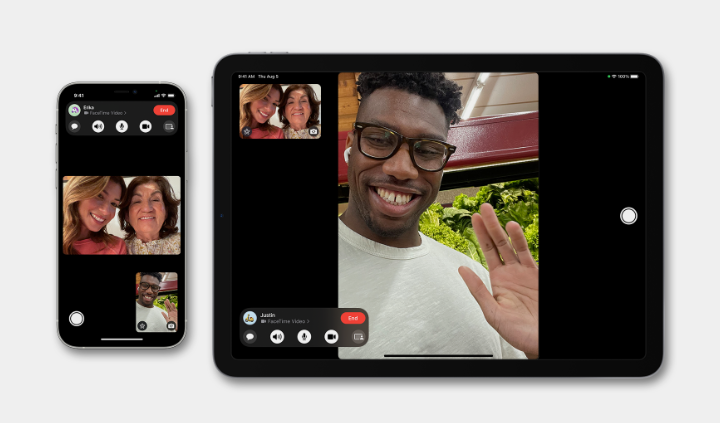
If you suspect someone has blocked you on their iPhone, FaceTime is one of the quickest ways to check. Apple does not send you a notification when you are blocked; instead, the system mimics a poor connection or a missed call to protect the privacy of the blocker.
In this guide, you will learn exactly what happens during a FaceTime call when you are blocked and how to differentiate a block from a simple network error.
How Do I Know If I’m Blocked On FaceTime?
When you are blocked, the FaceTime experience is designed to be ambiguous. However, there is a distinct pattern:
The “Endless” Ring: When you call someone who has blocked you, the call will ring on your screen. It will usually ring for the standard duration (about 10 to 12 rings) before disconnecting or showing “FaceTime Unavailable.”
The Silence on Their End: While you hear ringing, the recipient’s phone remains completely silent. They receive no notification, no missed call badge, and no vibration.
If you call multiple times over several days and the result is always a full cycle of ringing followed by a disconnection, it is a strong indicator that you have been blocked.
The iMessage Confirmation Test
Because FaceTime ringing can also happen if the person simply isn’t answering, you must confirm the block using iMessage. This is the most reliable test.
- Send the person a text message via iMessage (ensure the chat bubble is Blue).
- Check the status under the message.
If the message says “Delivered,” you are NOT blocked. They are simply ignoring your calls.
If the message shows nothing under it (no “Delivered” and no “Read” status) even after several hours, combined with the FaceTime behavior, you are almost certainly blocked.
What Does “FaceTime Unavailable” Mean?
If the call rings briefly and then immediately says “FaceTime Unavailable,” or if it rings for a full cycle and then says it, this can mean three things:
- You are Blocked: The connection timed out because the receiving device rejected it.
- Poor Connection: The recipient is in an area with no Wi-Fi or cellular data.
- Call Declined: If the “Unavailable” message appears suddenly after only 1 or 2 rings, the person likely saw the call and manually declined it (meaning you are not blocked).
What Happens To Calls and Messages While Blocked?
If you are indeed blocked, here is what happens to your attempts to contact them:
- FaceTime: Rings on your end, silent on theirs. No record of the call appears on their phone.
- Standard Phone Calls: The call will typically ring once (or half a ring) and go straight to voicemail. You can leave a voicemail, but it will be hidden in a “Blocked Messages” folder at the bottom of their voicemail list.
- iMessage: Your texts will send as blue bubbles but will never show a “Delivered” status. The recipient will never receive them, even if they unblock you later.
Can You Bypass a FaceTime Block?
You cannot force a call through to a device that has blocked your number or Apple ID. The block is tied to your specific contact information.
The only way a call will go through is if you use a different phone number or a different Apple ID email address to make the FaceTime call. However, if the person recognizes your face or voice, they can simply block the new ID as well.